$0.020/GB Sounds Cheaper Than S3. Your Egress Bill Will Disagree.
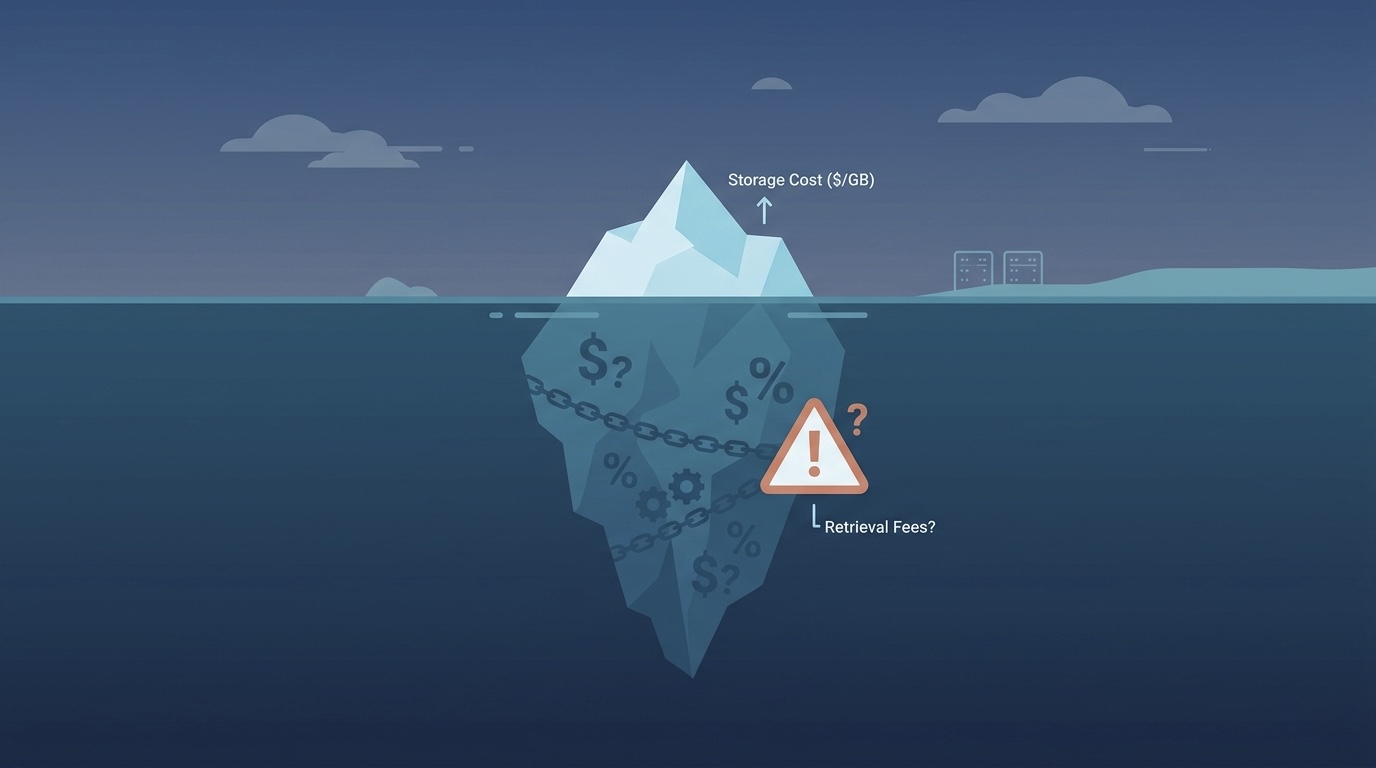
Google Cloud Storage is one of those services that looks great on the pricing page headline: $0.020/GB for Standard storage, 13% cheaper than AWS S3 Standard at $0.023/GB. Four storage classes with clear names (Standard, Nearline, Coldline, Archive). Straightforward, right?
Then you transfer 10TB out of GCS to the internet and get hit with a $1,200 egress bill. At $0.12/GB, GCS egress is actually 33% more expensive than S3 ($0.09/GB). The storage savings evaporate the moment data leaves Google's network.
This is the fundamental tension of GCS pricing: cheaper storage, more expensive egress. Whether GCS saves you money depends entirely on the ratio of data stored to data transferred. For GCP-native workloads where data stays within Google's ecosystem (BigQuery, Compute Engine, Cloud Functions), GCS is excellent value. For workloads that serve data to the internet or to other clouds, the egress costs change the math entirely.
We work with GCS optimization regularly at LeanOps as part of multi-cloud cost assessments. This post gives you every GCS cost in 2026, models real-world bills, and shows you the strategies that consistently cut GCS spend by 30-60%.
For a multi-provider comparison including GCS, see our cloud storage pricing comparison for 2026.
Google Cloud Storage Classes: Complete 2026 Pricing
GCS offers four storage classes, each optimized for different access frequencies. All classes provide the same durability (99.999999999%, eleven nines) and availability varies by class.
Storage Rates (US Multi-Region)
| Storage Class | Cost per GB/month | Cost per TB/month | Minimum Storage Duration | Availability SLA |
|---|---|---|---|---|
| Standard | $0.026 | $26.00 | None | 99.95% |
| Nearline | $0.010 | $10.00 | 30 days | 99.9% |
| Coldline | $0.004 | $4.00 | 90 days | 99.9% |
| Archive | $0.0012 | $1.20 | 365 days | None (offline) |
Storage Rates (Single Region: us-central1)
| Storage Class | Cost per GB/month | Cost per TB/month | Savings vs Multi-Region |
|---|---|---|---|
| Standard | $0.020 | $20.00 | 23% cheaper |
| Nearline | $0.010 | $10.00 | Same |
| Coldline | $0.004 | $4.00 | Same |
| Archive | $0.0012 | $1.20 | Same |
Key insight: Standard is the only class where single-region pricing differs from multi-region. If you do not need geographic redundancy, single-region Standard saves 23%. For the cold tiers, pricing is identical.
Operation Costs (Per 10,000 Operations)
This is where cold storage classes get expensive if you access data frequently.
| Storage Class | Class A (writes, lists) | Class B (reads, gets) | Free Operations |
|---|---|---|---|
| Standard | $0.05 | $0.004 | None |
| Nearline | $0.10 | $0.01 | None |
| Coldline | $0.10 | $0.05 | None |
| Archive | $0.50 | $0.50 | None |
Why this matters: A Coldline read costs 12.5x more per operation than Standard. If you store 10TB in Coldline to save $160/month on storage ($200 Standard vs $40 Coldline), but your application makes 10 million read operations per month, those reads cost $50 on Coldline versus $4 on Standard. The storage savings still win here, but the margin shrinks.
Archive is the most extreme: $0.50 per 10,000 reads means each read costs $0.00005. Accessing 1 million objects from Archive costs $50 in operations alone, regardless of data size.
Retrieval Fees
On top of operation costs, cold classes charge per-GB retrieval fees when you read data.
| Storage Class | Retrieval Fee per GB |
|---|---|
| Standard | $0 |
| Nearline | $0.01 |
| Coldline | $0.02 |
| Archive | $0.05 |
A 1TB restore from Archive costs $50 in retrieval fees plus operation costs. From Coldline, $20 per TB. This is in addition to any egress charges if the data leaves GCP.
Early Deletion Fees
If you delete or overwrite an object before its minimum storage duration expires, you pay for the remaining time.
| Storage Class | Minimum Duration | Early Deletion Penalty |
|---|---|---|
| Standard | None | None |
| Nearline | 30 days | Charged for remaining days |
| Coldline | 90 days | Charged for remaining days |
| Archive | 365 days | Charged for remaining days |
Example: Store a 1GB file in Coldline, delete it after 10 days. You pay for the full 90 days: 90 x ($0.004/30) = $0.012 regardless of deletion.
Egress Pricing: Where GCS Gets Expensive
Egress (data transfer out of GCS to the internet or other clouds) is GCS's most expensive dimension and the area where it compares unfavorably to competitors.
Internet Egress
| Monthly Volume | Cost per GB | Compared to AWS S3 |
|---|---|---|
| 0-1 TB | $0.12 | S3: $0.09 (GCS is 33% more) |
| 1-10 TB | $0.11 | S3: $0.09 (GCS is 22% more) |
| 10+ TB | $0.08 | S3: $0.07 (GCS is 14% more) |
Intra-GCP Egress
| Destination | Cost |
|---|---|
| Same region (GCS to Compute Engine, BigQuery, etc.) | Free |
| Different region (same continent) | $0.01/GB |
| Different continent | $0.02-0.08/GB |
| Google CDN (Cloud CDN) | $0.02-0.08/GB (varies by region) |
The free intra-region transfer is huge. If your compute workloads (GKE, Compute Engine, Cloud Functions) run in the same region as your GCS buckets, data transfer between them costs nothing. This is the main reason GCS is cost-effective for GCP-native architectures.
GCS vs S3 vs R2: Egress Comparison at 10TB Monthly Transfer
| Provider | Storage (10TB Standard) | Egress (10TB) | Total Monthly |
|---|---|---|---|
| Google Cloud Storage | $200 | $860 | $1,060 |
| AWS S3 | $230 | $870 | $1,100 |
| Cloudflare R2 | $150 | $0 | $150 |
| Backblaze B2 | $60 | $0 (via Cloudflare) | $60 |
If egress is your dominant cost, GCS and S3 are almost identically expensive, and both lose badly to zero-egress providers. But if your data primarily stays within GCP (fed into BigQuery, processed by Dataflow, served by Cloud CDN), the egress comparison is irrelevant because intra-region transfers are free.
5 Ways to Eliminate GCS Egress Costs Entirely
Egress is the dominant cost for any workload that serves data outside GCP. At 10TB/month, standard internet egress costs $860-1,200. Here are five strategies that reduce effective egress to near-zero — each with specific dollar savings at realistic volumes.
1. Cloud CDN in Front of GCS Buckets
Egress via Google Cloud CDN costs $0.02-0.08/GB depending on region, versus $0.12/GB for standard internet egress. For content with high cache-hit ratios (static assets, media files, software downloads), 70-90% of requests are served from edge cache without hitting the GCS bucket at all.
At 10TB/month egress:
- Standard internet egress: $1,200
- Cloud CDN egress (assuming 80% cache hit): 2TB origin pull at $0.12 + 8TB CDN-served at $0.04 average = $240 + $320 = $560
- Savings: $640/month (53%)
Best case (95% cache hit): $200-$400/month total. Savings: 67-83%.
2. Dedicated Interconnect or Partner Interconnect
If you transfer large volumes to known destinations (your on-premises data center, a partner's infrastructure, or co-located servers), Dedicated Interconnect egress costs just $0.02/GB — 83% cheaper than standard internet egress.
At 10TB/month via Interconnect:
- Standard internet egress: $1,200
- Interconnect egress: 10TB x $0.02/GB = $200
- Savings: $1,000/month (83%)
The catch: Dedicated Interconnect requires a physical cross-connect at a Google peering facility (one-time setup cost of $1,700/month for a 10Gbps link). Break-even is at roughly 2TB/month of egress. Partner Interconnect starts at $300-500/month with no physical infrastructure requirement.
3. Storage Transfer Service to Other Clouds
Google charges $0 for the first 1TB/month of data transferred to other clouds via Storage Transfer Service. For multi-cloud architectures where you need data in both GCP and AWS/Azure, this eliminates the egress charge for cross-cloud synchronization up to 1TB.
Beyond 1TB, the transfer service still avoids the full $0.12/GB internet egress rate — Google routes transfers over its private backbone at reduced rates ($0.04-0.08/GB depending on destination region).
For a 1TB monthly cross-cloud sync:
- Standard egress: 1TB x $0.12/GB = $120/month
- Storage Transfer Service: $0/month (within free tier)
- Savings: $120/month (100%)
4. Serve from Same Region as Users
Multi-region storage costs more upfront ($0.026/GB vs $0.020/GB for Standard) but eliminates cross-region egress within GCP entirely. If your Cloud Run services, GKE clusters, or Compute Engine instances are in the same region as your GCS buckets, all data transfer between them is free.
For workloads where GCS data is consumed by GCP compute (ETL pipelines, ML training, application backends), same-region placement eliminates 100% of internal egress costs. The $0.006/GB storage premium is dramatically cheaper than the $0.01-0.08/GB cross-region transfer fees.
Example: A 10TB data lake accessed by BigQuery in a different region costs $100/month in cross-region egress. Moving the bucket to the same region as BigQuery: $0 egress, $60/month extra storage (multi-region premium). Net savings: $40/month — and it gets better at higher access volumes.
5. Cloudflare in Front of GCS (Zero-Egress CDN)
Use Cloudflare (free or Pro plan) as a reverse proxy with GCS as the origin. Cloudflare caches aggressively and charges $0 for bandwidth on all plans. For cacheable content, 60-90% of requests never reach GCS at all.
At 10TB/month served to users:
- Standard GCS egress: $1,200/month
- With Cloudflare (75% cache hit): 2.5TB GCS egress at $0.12 = $300/month + Cloudflare serves 7.5TB at $0
- Effective cost: $300/month. Savings: $900/month (75%)
- Effective per-GB rate: $0.03/GB (75% reduction from $0.12)
At 90% cache hit ratio (achievable for static assets): effective egress drops to $0.012/GB. Savings: 90%.
Combining strategies: Cloudflare CDN + same-region compute + Interconnect for partner transfers can reduce a $2,000/month egress bill to under $200/month — a 90%+ reduction.
Autoclass Deep Dive: When It Saves Money and When It Doesn't
Autoclass is not a universal win. It works brilliantly for mixed-access workloads but adds zero value (and a small monitoring cost) for uniformly hot data. Here is the precise breakdown by workload type, based on real usage patterns we see in client environments.
Autoclass Savings by Workload Type
| Workload Type | Without Autoclass (10TB Standard) | With Autoclass (10TB auto-tiered) | Monthly Savings | Savings % |
|---|---|---|---|---|
| Active app data (daily access) | $200/month | $200/month (stays Standard) | $0 | 0% |
| Analytics data (weekly access) | $200/month | $100/month (auto-transitions to Nearline) | $100 | 50% |
| Log archives (monthly access) | $200/month | $40/month (auto-transitions to Coldline) | $160 | 80% |
| Backups (quarterly access) | $200/month | $12/month (auto-transitions to Archive) | $188 | 94% |
| Mixed data lake (typical) | $200/month | $90/month (blended across tiers) | $110 | 55% |
The Autoclass Monitoring Fee
Autoclass charges $0.0025 per 1,000 objects per month for monitoring access patterns. For most buckets this is negligible:
- 1 million objects: $2.50/month monitoring fee
- 10 million objects: $25/month monitoring fee
- 100 million objects: $250/month monitoring fee
At 100 million objects, the monitoring fee becomes material. If those 100M objects are all actively accessed daily (and thus stay in Standard), you pay $250/month for monitoring that provides zero savings. That is pure waste.
The Decision Rule
Rule of thumb: If more than 40% of your data is accessed less than monthly, Autoclass saves 30%+ and the monitoring fee is negligible compared to savings. If all your data is hot (accessed daily or weekly), Autoclass saves nothing and the $0.0025/1K objects monitoring fee is pure waste.
When Autoclass is a clear win:
- Data lakes where analysts query a subset of tables regularly but most data sits idle
- Application logs older than 7 days (rarely accessed until an incident)
- User-uploaded content (profile photos accessed frequently for 30 days, then rarely)
- ML training datasets used once during training, then stored indefinitely
When Autoclass adds no value:
- Active databases and caches (everything accessed daily)
- CDN origin buckets where all content is served regularly
- Buckets with fewer than 10,000 objects (monitoring fee exceeds any possible savings at small scale)
- Compliance-mandated storage classes (data must remain in a specific tier regardless of access)
Autoclass vs Manual Lifecycle Policies
If you know your access patterns precisely, manual lifecycle policies can achieve the same savings without the monitoring fee. Autoclass wins when access patterns are unpredictable or when the engineering time to analyze and configure lifecycle rules exceeds the monitoring cost.
For a 10TB bucket with 5 million objects: Autoclass monitoring costs $12.50/month. If it saves $100+/month by auto-tiering, the ROI is obvious. If your DevOps engineer spends 2 hours configuring and maintaining lifecycle policies ($200-400 in labor), Autoclass pays for itself in engineering time savings within the first month.
Real-World Cost Modeling
Scenario 1: GCP-Native Analytics (Data Stays in GCP)
- 10TB data lake in GCS
- Fed into BigQuery daily (same region, free transfer)
- 70% of data accessed monthly, 30% accessed rarely
- Minimal internet egress (100GB/month for reports)
| Component | Configuration | Monthly Cost |
|---|---|---|
| Storage (7TB Standard) | 7,000 GB x $0.020 | $140 |
| Storage (3TB Nearline) | 3,000 GB x $0.010 | $30 |
| Operations (writes + reads) | ~50M operations | $25 |
| Egress (100GB internet) | 100 GB x $0.12 | $12 |
| Total | $207/month |
For comparison, keeping all 10TB in Standard: $200 storage + $25 ops + $12 egress = $237. Using Nearline for cold data saves $30/month (13%). Not dramatic, but it compounds.
With Autoclass enabled: Google automatically moves data between tiers. Typical savings: 30-50% on storage. Estimated cost: $140-170/month total.
Scenario 2: Media CDN (Heavy Egress)
- 50TB of media assets stored in GCS
- 20TB/month served to end users via internet (not CDN)
- Frequent reads on hot content, rare reads on archive
| Component | Configuration | Monthly Cost |
|---|---|---|
| Storage (10TB Standard) | 10,000 GB x $0.020 | $200 |
| Storage (30TB Nearline) | 30,000 GB x $0.010 | $300 |
| Storage (10TB Coldline) | 10,000 GB x $0.004 | $40 |
| Retrieval (Nearline, 5TB) | 5,000 GB x $0.01 | $50 |
| Egress (20TB internet) | 20,000 GB x $0.08-0.11 | $1,900 |
| Operations | ~200M operations | $100 |
| Total | $2,590/month |
Egress accounts for 73% of the total bill. This is the scenario where GCS is the wrong choice for direct internet serving. Putting Cloud CDN in front reduces egress costs by 40-60%, or migrating hot assets to Cloudflare R2 eliminates egress entirely.
Scenario 3: Backup and Disaster Recovery
- 100TB of database backups and archives
- Written weekly, read only during DR events (maybe once per year)
- No regular egress
| Component | Configuration | Monthly Cost |
|---|---|---|
| Storage (20TB Coldline, recent) | 20,000 GB x $0.004 | $80 |
| Storage (80TB Archive) | 80,000 GB x $0.0012 | $96 |
| Operations (weekly writes) | ~500K writes | $5 |
| Egress (none normally) | $0 | $0 |
| Total | $181/month |
For 100TB of backup storage, $181/month is exceptional value. That is $1.81/TB/month average. Even with a full DR restore of 20TB once per year ($50 retrieval + $1,600 egress = $1,650 one-time cost), the total annual cost is only $3,822 for 100TB of backup. Try doing that with on-premises tape.
Autoclass: Google's Answer to "I Don't Know Which Tier to Pick"
Autoclass is Google's automatic storage tiering feature, and honestly, it is the single most useful GCS optimization for teams that do not want to think about lifecycle policies.
How Autoclass Works
- All objects start in Standard
- After 30 days without access, objects move to Nearline
- After 90 days without access, they move to Coldline
- After 365 days without access, they move to Archive
- When accessed, objects move back to Standard immediately
- No early deletion fees, no retrieval fees for Autoclass-managed transitions
That last point is critical. Normally, accessing a Coldline object costs $0.02/GB in retrieval fees. With Autoclass, transitions back to Standard are free. This eliminates the penalty for accessing cold data, which is the main risk of aggressive tiering.
Autoclass Cost Impact
| Workload Type | Without Autoclass | With Autoclass | Savings |
|---|---|---|---|
| Data lake (mixed access) | $200/month (all Standard) | $120/month | 40% |
| ML training data (burst access) | $200/month (all Standard) | $90/month | 55% |
| Log archive (rarely accessed) | $200/month (all Standard) | $70/month | 65% |
| Active application data | $200/month (all Standard) | $180/month | 10% |
When NOT to use Autoclass:
- If you know exactly which data is cold and can set lifecycle policies manually (you save the same amount without the automated overhead)
- If you need data to always be in a specific class for compliance or SLA reasons
- If your access patterns are perfectly uniform (everything is accessed equally)
For everyone else, turn on Autoclass. There is literally no downside for most workloads.
GCS Optimization Playbook: Cut Costs 30-60%
1. Enable Autoclass on All Non-Critical Buckets (Save 30-50%)
If you have not explicitly tiered your data, Autoclass will do it automatically with zero risk of retrieval penalties. Enable it on every bucket that does not have a compliance-mandated storage class.
gcloud storage buckets update gs://my-bucket --enable-autoclass
2. Use Single-Region When Multi-Region Is Not Required (Save 23%)
Multi-region Standard costs $0.026/GB versus $0.020/GB for single-region. Most workloads (analytics, backups, ML training data) do not need geographic redundancy. If your compute is in us-central1, put your storage there too.
3. Implement Object Lifecycle Policies (Save 30-70%)
For buckets where Autoclass is not appropriate (or where you want finer control), lifecycle policies move data to cheaper classes on a schedule.
{
  "lifecycle": {
    "rule": [
      {
        "action": { "type": "SetStorageClass", "storageClass": "NEARLINE" },
        "condition": { "age": 30, "matchesStorageClass": ["STANDARD"] }
      },
      {
        "action": { "type": "SetStorageClass", "storageClass": "COLDLINE" },
        "condition": { "age": 90, "matchesStorageClass": ["NEARLINE"] }
      },
      {
        "action": { "type": "SetStorageClass", "storageClass": "ARCHIVE" },
        "condition": { "age": 365, "matchesStorageClass": ["COLDLINE"] }
      },
      {
        "action": { "type": "Delete" },
        "condition": { "age": 2555 }
      }
    ]
  }
}
4. Put Cloud CDN in Front of Public Buckets (Save 40-70% on Egress)
If you serve objects to the internet (images, videos, downloads), Cloud CDN caches them at edge locations. Cache hits are served at $0.02-0.08/GB instead of $0.08-0.12/GB direct egress. For content with high cache-hit ratios (80%+), this cuts egress costs by 40-70%.
5. Clean Up Incomplete Multipart Uploads and Object Versions
GCS charges for incomplete multipart uploads and every version of versioned objects. Set lifecycle rules to abort incomplete uploads after 7 days and delete non-current object versions after 30 days.
{
  "lifecycle": {
    "rule": [
      {
        "action": { "type": "AbortIncompleteMultipartUpload" },
        "condition": { "age": 7 }
      },
      {
        "action": { "type": "Delete" },
        "condition": { "numNewerVersions": 3, "isLive": false }
      }
    ]
  }
}
6. Use Requester Pays for Shared Datasets
If you share large datasets with external parties, enable Requester Pays on the bucket. The party downloading the data pays the egress charges, not you. This is standard practice for public research datasets and shared data exchanges.
GCS vs AWS S3 vs Cloudflare R2: Decision Framework
| Factor | GCS Wins | S3 Wins | R2 Wins |
|---|---|---|---|
| Storage cost (Standard) | Yes ($0.020) | No ($0.023) | Yes ($0.015) |
| Egress cost | No ($0.12) | Middle ($0.09) | Yes ($0) |
| GCP integration | Yes (free intra-region) | No | No |
| AWS integration | No | Yes (free intra-region) | No |
| Automatic tiering | Yes (Autoclass, no penalty) | Yes (Intelligent-Tiering) | No tiering |
| Cold storage depth | Good ($0.0012 Archive) | Best ($0.00099 Deep Archive) | No cold tiers |
| Global availability | 30+ regions | 30+ regions | Limited |
| Durability | 11 nines | 11 nines | 11 nines |
Choose GCS when:
- Your compute runs on GCP (free intra-region egress)
- You feed data into BigQuery, Dataflow, or Vertex AI
- You want Autoclass for zero-effort tiering
- You need tight integration with Google Workspace or Google Cloud services
Choose S3 when:
- Your compute runs on AWS (free intra-region egress)
- You need the deepest cold storage (Deep Archive at $0.00099/GB)
- You rely on the 200+ AWS service integrations with S3
- You want the broadest third-party tool ecosystem
Choose R2 when:
- Egress is your dominant cost (R2 has zero egress fees)
- You serve content to the internet (media, downloads, public APIs)
- You want S3-compatible API without AWS lock-in
- Your workload is storage + retrieval without complex processing
The Bottom Line
Google Cloud Storage is well-priced for storage ($0.020/GB Standard is 13% cheaper than S3) but expensive for egress ($0.12/GB is 33% more than S3). The economics work strongly in GCS's favor when data stays within GCP, and work against it when data leaves Google's network.
The three optimizations that matter most:
- Enable Autoclass if you have not explicitly tiered your data (saves 30-50% automatically)
- Use single-region instead of multi-region if you do not need geo-redundancy (saves 23% on Standard)
- Put Cloud CDN in front of public content (saves 40-70% on egress)
If your GCS bill is climbing and nobody has audited your bucket configurations, storage classes, or egress patterns, there is almost certainly 30-60% waste. Our cloud cost optimization team includes GCP-certified engineers who optimize storage costs weekly. Start with a free Cloud Waste Assessment and we will include GCS in the analysis.
Further reading: