The Per-GB Price Is Only the Beginning
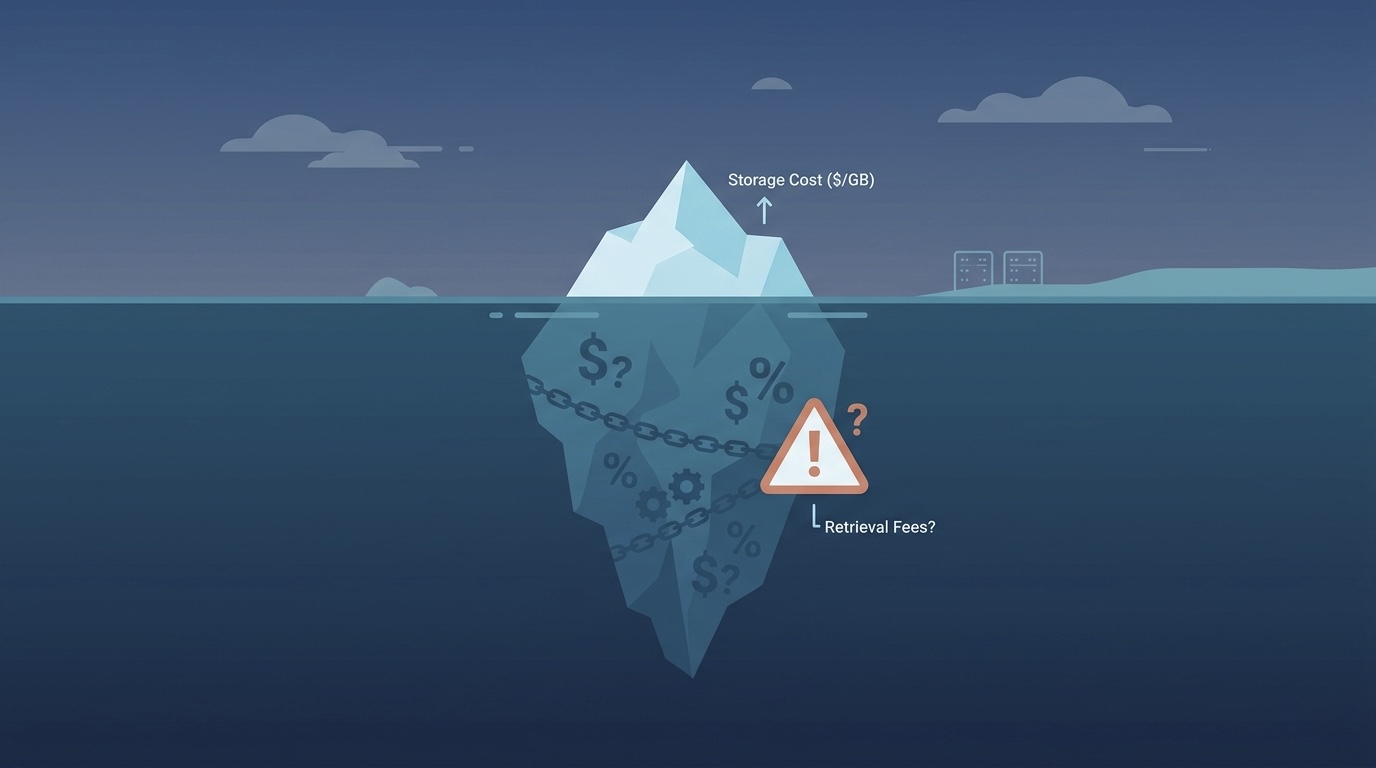
Every cloud storage decision starts with the same table: AWS at $0.023/GB, Azure at $0.018/GB, GCP at $0.020/GB. Teams pick the lowest number and assume they have optimized their storage costs.
Three months later, the storage bill is higher than expected, and nobody is sure why.
Here is the reality: the per-GB storage rate represents maybe 30 to 50% of your actual storage bill. The rest comes from egress fees nobody modeled, request charges that compound at scale, retrieval costs on archived data, minimum duration penalties on objects deleted before their time, and lifecycle transition fees that sometimes cost more than the savings they generate.
This guide gives you the full picture. We rank all five providers on true total cost of ownership, not just the headline rate, and show you exactly how each billing dimension changes the math for different workload types. By the end, you will know not just which provider is cheapest but exactly when and why.
Why Storage Bills Keep Surprising Teams in 2026
Before the provider rankings, you need to understand the five billing dimensions that turn a "cheap" provider expensive.
1. Egress Fees: The Tax Nobody Calculates Upfront
Every major cloud provider charges for data leaving their network. AWS and Azure charge $0.087 to $0.09/GB. GCP charges up to $0.12/GB. These fees apply whether you are serving a web application, running analytics on another platform, or simply migrating to a different provider.
For a SaaS platform serving 50TB of content per month, the egress bill alone is $4,500 on AWS. That number dwarfs the storage cost of the same 50TB at $0.023/GB ($1,150/month). Most teams model the storage. Almost none model the egress before choosing a provider.
2. Request Fees: The Cost That Scales With Usage
Every GET, PUT, LIST, and DELETE is a billable API call. AWS charges $0.0004 per 1,000 GET requests and $0.005 per 1,000 PUT requests. These rates look trivial per request. At 100 million monthly GETs, that is $40/month just in read fees. At 10 million PUTs per month, that is $50/month in write fees.
For high-frequency access patterns (APIs that fetch from S3 on every request, image processing pipelines, ML data loaders), request fees can rival or exceed storage costs.
3. Retrieval Fees on Archived Tiers
Every low-cost storage tier charges for reading data back. S3 Standard-IA charges $0.01/GB retrieved. Glacier Instant Retrieval charges $0.03/GB. Glacier Deep Archive charges $0.02/GB plus a 12-hour wait.
Teams that archive data to save money and then retrieve it regularly are often paying more total than if they had left the data in Standard. Calculate retrieval frequency before archiving anything.
4. Minimum Duration Penalties
S3 Standard-IA has a 30-day minimum. Glacier tiers have 90-day minimums. Glacier Deep Archive has a 180-day minimum. Delete an object before the minimum and AWS charges you for the full period anyway.
For workloads with high object churn (frequent creates and deletes), aggressive lifecycle policies that transition objects into IA or Glacier classes can trigger minimum duration charges that exceed the storage savings from the transition.
5. Replication and Cross-Region Costs
Cross-region replication copies data to another region for disaster recovery. The cost is the source region's egress rate ($0.02/GB between US regions) plus storage costs in the destination. For 10TB replicated across regions: $200/month in transfer plus $230/month in destination storage. That $430/month is ongoing, every month, for as long as replication is active.
The Full Comparison: All 5 Providers Ranked by True TCO
Here is the expanded comparison that includes every cost dimension that actually matters:
| Provider | Storage ($/GB/mo) | Egress ($/GB) | GET (per 1K) | PUT (per 1K) | Retrieval Fee | Minimum Duration |
|---|---|---|---|---|---|---|
| AWS S3 Standard | $0.023 | $0.09 | $0.0004 | $0.005 | None | None |
| AWS S3 Standard-IA | $0.0125 | $0.09 | $0.001 | $0.01 | $0.01/GB | 30 days |
| Azure Blob Hot | $0.018 | $0.087 | $0.0004 | $0.005 | None | None |
| Azure Blob Cool | $0.01 | $0.087 | $0.001 | $0.01 | $0.01/GB | 30 days |
| GCP Cloud Storage Standard | $0.020 | $0.12 | $0.0004 | $0.005 | None | None |
| GCP Nearline | $0.01 | $0.12 | $0.001 | $0.01 | $0.01/GB | 30 days |
| GCP Coldline | $0.004 | $0.12 | $0.005 | $0.05 | $0.02/GB | 90 days |
| Wasabi | $0.0059 | $0.00 | $0.004 | $0.004 | None | 90 days min |
| Cloudflare R2 | $0.015 | $0.00 | $0.00036 | $0.0045 | None | None |
| Backblaze B2 | $0.006 | $0.01 | $0.004 | Free | None | None |
No single provider wins across every dimension. The right choice is entirely workload-dependent, and we will show you exactly how to read this table for your specific situation.
AWS S3: The Most Powerful and the Most Complex to Optimize
AWS S3 is not the cheapest storage by any raw pricing metric. It is the richest ecosystem, and for teams already running on AWS, the integration value is real and measurable.
What the rate card does not show you:
The S3 Intelligent-Tiering storage class sounds like a free optimizer: AWS automatically moves objects between tiers based on access patterns, saving money without manual management. The catch is a monitoring fee of $0.0025 per 1,000 objects per month. For buckets with millions of small objects (thumbnails, JSON records, log events), this monitoring fee can exceed the storage savings from tiering. It is cost-effective for large-object buckets where the storage savings per object significantly outweigh the $0.0025 per 1,000 monitoring charge.
S3 versioning, when enabled without a lifecycle expiration policy for non-current versions, silently accumulates previous versions of every object. A bucket with daily updates and no version expiration policy can accumulate more storage in previous versions than in current objects within 90 days. Add a NoncurrentVersionExpiration lifecycle rule to any versioned bucket you own.
Incomplete multipart uploads are the storage line item nobody tracks. When large upload operations fail or applications crash, the uploaded parts remain in S3 indefinitely and you pay for them. They are invisible in the standard console view. Add an AbortIncompleteMultipartUpload lifecycle rule (7 days is reasonable) to every bucket that receives large file uploads.
When AWS S3 wins: You are already running on AWS. The integration with Lambda, CloudFront, Athena, and other services eliminates data transfer costs for intra-AWS workflows. The S3 Transfer Acceleration feature (though opt-in and billed separately) is genuinely the fastest large-file upload option globally.
When to use S3 Glacier Deep Archive: Long-term compliance data, rarely or never accessed. At $0.00099/GB/month with a 180-day minimum, it is the cheapest archival storage from any major provider, including Wasabi, for truly cold data.
For the complete AWS storage optimization breakdown including the gp2-to-gp3 migration and EBS versus S3 placement decisions, see our AWS cost optimization playbook.
Azure Blob Storage: The Enterprise Advantage Most Teams Underuse
Azure Blob Storage has a lower base storage rate than AWS S3 ($0.018 vs $0.023/GB for hot tier) and slightly lower egress fees. For standalone storage workloads with moderate egress, Azure is genuinely cheaper than AWS.
The advantage most teams miss:
Azure Reserved Capacity lets you pre-purchase storage capacity at discounts of 18 to 38% compared to pay-as-you-go. For predictable, stable storage workloads, a 1-year reservation locks in meaningful savings. Unlike compute reservations, storage reservations carry lower risk because your data volume tends to grow predictably rather than fluctuate wildly.
Azure Blob Storage integrates natively with Azure Active Directory for identity-based access control. If your organization already uses Azure AD (most enterprises do), the security and compliance workflow for Azure storage is significantly simpler than setting up equivalent access policies on AWS S3 or GCP Cloud Storage.
The tiering structure you should know:
Azure has four blob tiers: Hot, Cool, Cold (added in 2023), and Archive.
- Hot ($0.018/GB): For data accessed frequently
- Cool ($0.01/GB, 30-day minimum): Data accessed infrequently but immediately when needed
- Cold ($0.0045/GB, 90-day minimum): New in 2023, rarely covered in comparison guides. Half the price of Cool for data accessed a few times per year
- Archive ($0.00099/GB, 180-day minimum): Offline storage, 1 to 15 hours to rehydrate
The Cold tier is the one most teams do not know exists. For a company storing 50TB of data accessed two or three times per year, the Cold tier at $0.0045/GB costs $225/month versus Hot at $0.018/GB costing $900/month. That $675/month savings for the same data with the same access capability (assuming you plan retrieval a few hours in advance) is one of the most underused cost levers in Azure storage.
When Azure wins: Enterprise environments with existing Microsoft licensing and Azure AD. Windows-based workloads (Azure Hybrid Benefit applies to the compute, making the full Azure storage-plus-compute stack cheaper). Compliance-heavy industries where Azure's enterprise support and certifications are easier to navigate with existing Microsoft relationships.
Google Cloud Storage: Cheap to Store, Expensive to Move
GCP Cloud Storage has competitive storage pricing at $0.020/GB for Standard tier and excellent sub-tiers: Nearline at $0.01/GB, Coldline at $0.004/GB, Archive at $0.0012/GB. If you only compare storage rates, GCP is attractive.
The trap: GCP has the highest egress fees of the three major providers at $0.12/GB to the internet for the first 1TB, then $0.11/GB for 1 to 10TB. For high-traffic workloads serving data globally, GCP storage ends up more expensive than AWS or Azure despite the lower per-GB storage rate.
The optimization most GCP users miss:
GCP offers free egress to Cloudflare CDN and certain other CDN partners. If you serve your GCP-stored data through Cloudflare as the CDN layer, the GCP egress fees disappear entirely. This completely changes the economics: GCP's Coldline at $0.004/GB/month for storage plus zero egress through Cloudflare can be the cheapest way to serve globally distributed content.
GCP also has two network tiers: Premium (default, routes via Google's private backbone) and Standard (routes via public internet, 30 to 40% cheaper for egress). For batch data transfers, analytics pipelines, and non-latency-sensitive workloads, Standard Tier is cheaper with no meaningful functional difference.
The BigQuery integration advantage:
GCP Cloud Storage is the native data lake for BigQuery. Data stored in GCP and queried by BigQuery incurs no egress fees for the transfer from storage to query engine. For analytics-heavy teams, this makes GCP Cloud Storage the obvious choice if BigQuery is already in your stack. Moving 50TB of analytics data from AWS S3 to BigQuery via external queries would cost $4,500 in egress every month. The same data in GCP Cloud Storage costs zero to query.
When GCP wins: Analytics-first organizations using BigQuery. Teams building ML pipelines with Vertex AI where training data should live in the same cloud as the training infrastructure. Workloads that can be served through Cloudflare CDN, making GCP's high base egress rate irrelevant.
Wasabi: The Genuine Egress-Free Option (With One Catch)
Wasabi at $0.0059/GB/month with zero egress is a real disruption to traditional cloud storage pricing. For high-egress workloads serving large files, the savings compared to AWS S3 can be staggering.
Run the numbers for a media company storing 100TB and serving 200TB/month:
- AWS S3: $2,300 storage + $18,000 egress = $20,300/month
- Wasabi: $590 storage + $0 egress = $590/month
At that egress volume, Wasabi is 34 times cheaper than AWS. Those are real numbers.
The catch that changes the math for some workloads:
Wasabi requires a minimum storage of 1TB (billed at minimum $6.99/month) and imposes a 90-day minimum storage duration per object. Delete an object before 90 days and you are charged for the full 90-day period.
For workloads with high object turnover (frequently updated files, session data, ephemeral exports, temporary processing artifacts), the minimum duration penalty can completely negate the storage savings. Before migrating to Wasabi, calculate your average object lifetime. If the majority of your objects live longer than 90 days, Wasabi is excellent. If you have significant churn of short-lived objects, the penalty math may not work in your favor.
Wasabi also does not have the same SLA tiers, support ecosystem, or native integrations as the major providers. For teams that need enterprise support agreements or deep integration with cloud-native services, Wasabi works as a primary or secondary storage target but not as a fully integrated cloud storage tier.
When Wasabi wins: Backup and archival data with lifetimes measured in months or years. Video storage and media archives. Any workload where the objects are large, long-lived, and frequently downloaded by end users.
Cloudflare R2: Zero Egress, Native S3 API, and the Migration Is Easier Than You Think
Cloudflare R2 is zero egress, uses the S3 API natively, and has no minimum storage duration. For teams already using Cloudflare for CDN or security, integrating R2 into your storage architecture is genuinely straightforward.
At $0.015/GB/month storage with $0.00036 per 1,000 GET requests and $0.0045 per 1,000 PUT requests, R2 is cheaper than S3 on every dimension for most read-heavy workloads. The zero egress makes it the clear winner for content delivery scenarios.
What "native S3 API" actually means for your migration:
R2 implements the S3 API, which means your existing AWS SDK code works against R2 with only an endpoint and credential change. There is no application code to rewrite. Set up an R2 bucket, update your SDK configuration to point at the R2 endpoint, and the application does not know the difference.
This is significant because S3-to-R2 migrations are typically measured in days rather than weeks. The operational risk is low because you can run R2 and S3 in parallel (R2 for new writes, S3 as read fallback) until you are confident the migration is complete.
R2 versus S3 for high-read workloads:
For a workload storing 10TB and serving 100TB/month in reads:
- AWS S3: $230 storage + $9,000 egress = $9,230/month
- Cloudflare R2: $150 storage + $0 egress + $36 (100B GET requests) = $186/month
At significant egress volume, R2 is the obvious choice if you do not need the AWS ecosystem integrations that S3 provides.
When R2 wins: Content delivery workloads where objects are served directly to end users. SaaS applications serving large files (documents, images, exports). Any team spending more than $1,000/month on S3 egress is worth evaluating R2.
How to Choose: TCO by Workload Type
Instead of ranking providers abstractly, here is the honest recommendation matrix:
| Workload Type | Recommended Provider | Why |
|---|---|---|
| AWS-native application (internal access only) | AWS S3 | Zero intra-AWS egress, deep service integration |
| High-egress content delivery | Cloudflare R2 | Zero egress, S3-compatible API |
| Long-term backup and archival (large files, long-lived) | Wasabi or Glacier Deep Archive | Lowest $/GB at scale with infrequent retrieval |
| Analytics and ML data lake | GCP Cloud Storage | BigQuery zero-egress integration |
| Enterprise with Azure AD and Windows licensing | Azure Blob | Cool/Cold tier pricing, Hybrid Benefit, AD integration |
| Infrequently accessed compliance data | Azure Cold or AWS Glacier | Cheapest storage for rarely touched data |
| Multi-cloud intermediate storage | Cloudflare R2 | Zero egress from any provider, S3 API compatibility |
The honest summary: for most SaaS and AI startups spending under $5,000/month on storage with moderate egress, AWS S3 or Azure Blob are fine and the switching cost is not worth it. For startups spending over $5,000/month on egress alone, R2 and Wasabi need serious evaluation. For analytics-first companies, GCP Cloud Storage feeding BigQuery is structurally the cheapest path.
The Decision Tree That Saves Hours of Analysis
Stop reading comparison tables. Answer these questions in order and you have your answer in 60 seconds:
-
Is your data primarily served to end users (CDN/download)? → Cloudflare R2 (zero egress). No contest. If more than 50% of your storage cost is egress to the public internet, R2 eliminates that entire line item overnight.
-
Is it backup/archive accessed less than once per year? → Wasabi ($6.99/TB/month, no egress fee for reasonable use). The 90-day minimum is irrelevant for data that lives for years. At $0.0059/GB with zero retrieval fees, nothing else comes close for cold-but-not-glacier data.
-
Does your application live in AWS and data rarely leaves the AWS network? → S3 (intra-AWS transfers are free, best service integration). If your data flows between S3, Lambda, EMR, Athena, and CloudFront without ever hitting the public internet, you never pay egress. S3 is actually cheap when you are not paying $0.09/GB to move data out.
-
Does your application live in GCP? → GCS (intra-GCP transfers are free, Autoclass saves 30-50%). GCP's Autoclass feature automatically moves objects between Standard, Nearline, Coldline, and Archive based on access patterns. Unlike S3 Intelligent-Tiering, Autoclass has no per-object monitoring fee. For mixed-access workloads, it consistently saves 30-50% versus manual tiering.
-
Does your application live in Azure? → Azure Blob (intra-Azure transfers are free, lifecycle management). The Cold tier at $0.0045/GB is half the price of Cool and most teams do not know it exists. Combine with Reserved Capacity for another 18-38% off.
-
Do you need S3 compatibility + low cost + don't mind a 90-day lock? → Wasabi. If your objects live longer than 90 days (most do), the minimum storage duration is irrelevant and you get S3 API compatibility at 75% less than S3 Standard pricing.
-
Multiple clouds or edge delivery? → R2 + origin pull from cheapest provider. Use R2 as your edge delivery layer with zero egress, and store the canonical copy in whatever provider is cheapest for your ingest pattern. R2's S3 API compatibility means the same SDK code works against any backend.
If none of these match perfectly, default to the provider where your compute already runs. Intra-cloud data transfer is free on all three major providers. The most expensive thing you can do is store data in one cloud and process it in another.
Real Migration Playbook: S3 to R2 in 48 Hours
The most common high-ROI storage migration in 2026 is moving egress-heavy S3 buckets to Cloudflare R2. Here is the exact playbook, step by step.
Step 1: Audit your egress spend (30 minutes)
Open AWS Cost Explorer. Filter by Service = S3. Group by Usage Type. Sort by DataTransfer-Out-Bytes. You will see exactly which buckets are generating egress charges. In most environments, 2-3 buckets account for 80%+ of total egress spend.
Step 2: Identify high-egress bucket candidates (15 minutes)
The best R2 migration candidates are buckets where data is served to the public internet: CDN assets (images, videos, JS/CSS bundles), public file downloads, API responses containing large payloads, and user-uploaded content served directly. Buckets where data flows to other AWS services (Lambda, EMR, Athena) should stay in S3 because those transfers are already free.
Step 3: Set up R2 bucket with S3-compatible API (20 minutes)
Create an R2 bucket in Cloudflare dashboard. Generate an R2 API token with S3-compatible credentials. In your application code, change exactly two things: the endpoint URL (from s3.amazonaws.com to your R2 endpoint) and the credentials. The SDK calls, bucket operations, and object paths remain identical. No code rewrite required.
Step 4: Sync existing data with rclone (1-24 hours depending on volume)
rclone sync s3:mybucket r2:mybucket --transfers 32 --checkers 64 --s3-provider AWS --s3-env-auth
For 10TB of data, this typically completes in 8-12 hours with 32 parallel transfers. Monitor with rclone sync --progress to track throughput. Run this during off-peak hours to avoid competing with production traffic for bandwidth.
Step 5: Update DNS/CDN origin to R2 (10 minutes)
Point your CDN or application to the R2 bucket as origin. If using Cloudflare CDN (likely, since you now have R2), this is a single origin rule change. If using CloudFront, update the origin domain to your R2 custom domain.
Step 6: Validate and decommission (24-48 hours)
Run both S3 and R2 in parallel for 24-48 hours. Monitor for errors. Once confirmed working, delete the S3 bucket contents and close the bucket.
Cost of migration:
The one-time cost is S3 egress during the rclone sync: approximately $0.09/GB transferred out of S3. For 10TB of data, that is $920 in egress as a one-time migration cost. If that 10TB bucket was generating $4,000+/month in ongoing egress fees on S3, you break even in 7 days. Every month after that is pure savings.
| Data Volume | Migration Cost (one-time) | Monthly Egress Savings | Break-Even |
|---|---|---|---|
| 1TB | $92 | $450 | 5 days |
| 10TB | $920 | $4,500 | 7 days |
| 50TB | $4,600 | $22,500 | 6 days |
| 100TB | $9,200 | $45,000 | 5 days |
The math is obvious. If you are paying meaningful S3 egress fees and the data is served to the public internet, the migration pays for itself in under two weeks at any scale.
Annual Savings Table by Workload Size
Here is what the actual dollar impact looks like across different storage and egress volumes when moving from S3 Standard to the optimal provider:
| Monthly Storage | Monthly Egress | Current Cost (S3) | Optimized Cost | Annual Savings |
|---|---|---|---|---|
| 1TB | 500GB | $68/month | $15/month (R2) | $636/year |
| 10TB | 5TB | $680/month | $150/month (R2) | $6,360/year |
| 100TB | 50TB | $6,800/month | $1,500/month (R2) | $63,600/year |
| 100TB | 0 (internal) | $2,300/month | $690/month (Wasabi) | $19,320/year |
| 50TB | 10TB | $2,050/month | $750/month (R2) | $15,600/year |
| 500TB | 0 (archive) | $11,500/month | $2,950/month (Wasabi) | $102,600/year |
How to read this table:
- If egress is a significant portion of your bill (rows 1-3, 5): R2 wins because zero egress eliminates 60-80% of total cost.
- If egress is zero or near-zero (rows 4, 6): Wasabi wins on raw storage cost at $0.0059/GB versus S3's $0.023/GB, a 74% reduction.
- The annual savings compound. A $6,360/year saving on 10TB today becomes $12,720/year when your data doubles to 20TB next year. Storage grows. Savings grow with it.
The 5-minute calculation for your own environment:
- Pull your current monthly S3 bill (storage + egress + requests)
- Separate storage cost from egress cost
- If egress > 40% of total: calculate R2 cost (storage at $0.015/GB + $0 egress)
- If egress < 10% of total: calculate Wasabi cost (storage at $0.0059/GB)
- Subtract optimized from current. Multiply by 12. That is your annual savings.
Most teams that run this calculation find $5,000-50,000/year in recoverable costs they did not know existed because nobody separated storage from egress in their cost reporting.
The FinOps Framework for Cloud Storage Optimization
Choosing the right provider is step one. Keeping costs low after launch requires ongoing governance.
Step 1: Get Real Visibility Before Optimizing Anything
Most cloud billing consoles show you total storage spend but not the breakdown between storage, egress, and request fees. Before making any changes, split your current storage bill into its components:
- Storage by bucket or container (which buckets are your most expensive?)
- Egress by destination (are you paying to serve public users, transfer to another cloud, or replicate to another region?)
- Request fees by operation type (are GETs or PUTs the bigger driver?)
- Retrieval fees (are archived objects being accessed more frequently than expected?)
On AWS, export the Cost and Usage Report to S3 and query it with Athena. On GCP, use the billing export to BigQuery. On Azure, use the Cost Management export. This attribution exercise takes half a day and typically reveals that two or three specific buckets drive 70 to 80% of storage spend.
Step 2: Match Each Bucket to the Right Storage Class
Once you know which buckets are expensive and why, the right storage class choice becomes obvious.
For each bucket, ask: how often is data in this bucket accessed? Daily, weekly, monthly, or almost never? What is the average object lifetime? Are the objects large (videos, database exports) or small (JSON events, thumbnails)?
Large, infrequently accessed, long-lived objects: move to IA or Cold/Nearline classes. The retrieval fee and minimum duration are manageable if access is truly infrequent and objects live longer than the minimum.
Small, high-churn objects: keep in Standard. The transition fees, minimum duration penalties, and retrieval fees on small objects in IA classes often negate the storage savings.
Frequently accessed objects of any size: keep in Standard or Hot tier. Retrieval fees on IA classes penalize every access.
Step 3: Implement Lifecycle Policies That Actually Save Money
Lifecycle policies are powerful but commonly misconfigured. Three rules that consistently save money without introducing unexpected charges:
Non-current version expiration for versioned buckets: Keeps the last 30 to 90 days of version history and automatically removes older versions. Without this, versioning doubles or triples your storage over time.
AbortIncompleteMultipartUpload after 7 days: Cleans up failed large uploads that silently accumulate. Most environments have significant invisible storage from incomplete uploads dating back months or years.
Transition to archive class only for objects older than 90 to 180 days: Avoids minimum duration penalties on objects that might be deleted before the minimum expires.
Step 4: Address Egress Before Switching Providers
If egress is your largest storage cost, the fix might not require a provider change. Add a CloudFront distribution in front of your S3 bucket. Origin-to-CloudFront egress is free (AWS does not charge for S3-to-CloudFront data transfer). CloudFront-to-internet egress is $0.0085/GB after the first 10TB, versus $0.09/GB for direct S3 egress. For a workload serving 100TB/month publicly, CDN caching can cut the egress bill from $9,000 to under $1,000.
GCP users: enable the Standard network tier for GCP Storage on batch and non-latency-sensitive workloads. Standard Tier routes traffic via the public internet rather than Google's premium backbone and costs 30 to 40% less. For analytics pipelines and backup jobs, Standard Tier produces identical results at lower cost.
Step 5: Audit Every Quarter
Storage costs do not optimize once and stay optimized. Objects accumulate. Access patterns change. New buckets get created by teams who did not get the memo about lifecycle policies. Replication rules get set up for a project and never turned off.
A quarterly storage audit that takes two hours consistently finds $200 to $2,000/month in recoverable costs in environments that have not been reviewed recently.
The Storage Decision You Make Today Compounds Every Month
Cloud storage feels like a small line item until your data grows and the egress starts flowing. The team that modeled only per-GB storage and chose AWS S3 is paying $9,000/month in egress on a workload that would cost $0 on Cloudflare R2. The team that enabled S3 Intelligent-Tiering on their small-object bucket is paying more in monitoring fees than they are saving in storage.
These are not obscure edge cases. They are the default outcomes for teams that did not run the full cost model before choosing their storage architecture.
Run the full model. Include egress, requests, retrieval, and minimum duration in your calculation. Match each workload type to the provider that actually wins for that specific pattern. And set up the lifecycle policies that prevent accumulation before it starts.
For a complete audit of your storage spend alongside your compute and networking costs, take our free Cloud Waste and Risk Scorecard. For help implementing storage optimization as part of a full FinOps program, our Cloud Cost Optimization and FinOps team does this every day.
If you are planning a migration to a different storage provider or building a new data architecture, our Cloud Migration service can help you model the full TCO before you commit.
Related reading:
- Cloud Backup and Storage Pricing in 2026: What Nobody Tells You Before the Retrieval Bill Arrives
- The AWS Cost Optimization Playbook: 14 Service-Specific Savings Most Teams Never Find
- AWS vs Azure vs GCP Cost Comparison: Which Cloud Is Actually Cheaper?
- Stop Burning Cloud Dollars: 7 Proven Steps to Detect Waste and Modernize Infrastructure
- Stop Paying for Ghost Servers: 12 Strategies to Eliminate Cloud Waste
- Cloud Financial Management in 2026: 7 FinOps Strategies That Cut Waste by 40%
External resources: